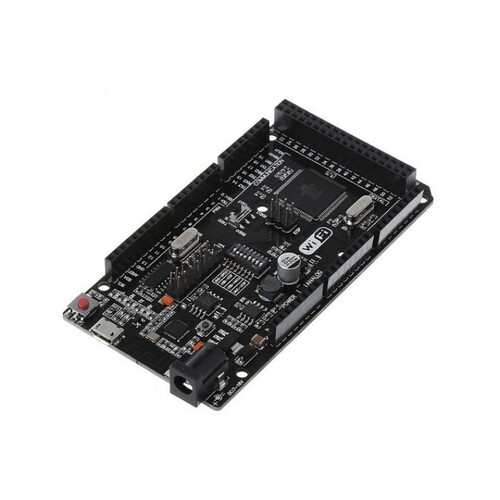
WiFi R3 ATmega2560 ESP8266 32M Memory USB-TTL CH340G About
MicrocontrollerATmega2560
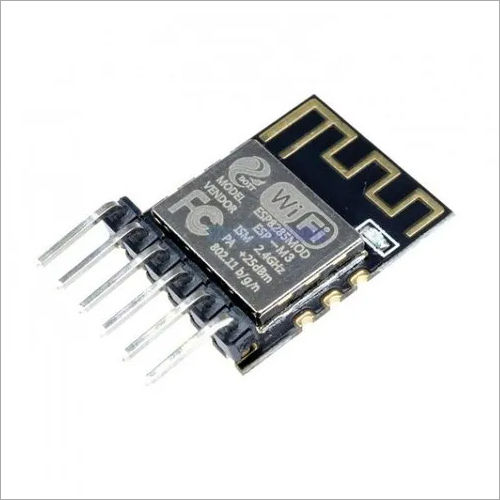
IC Wi-Fi ESP8266
USB-TTL converterCH340G
Power Out5V-800mA
Power IN. USB5V (500mA max.)
Power IN. VIN/DC Jack9-24V
Power Consumption5V 800mA
Logic Level5V
Integrated WiFi FunctionalityThis board combines an ATmega2560 microcontroller with an ESP8266 WiFi module and 32M memory. This seamless integration allows users to develop robust IoT projects without the need for external WiFi shields, simplifying circuit design and saving precious development time.
Arduino Uno CompatibilityFully compatible with the Arduino Uno platform, the WiFi R3 supports a vast library of Arduino IDE resources, making it accessible and user-friendly for both beginners and experienced developers in the electronics field.
Flexible Power OptionsOperate your projects entirely on external power, with a supply voltage range of 5V to 12V DC. The board maintains stable performance at a rated voltage of 3.3V, ensuring compatibility with various power supply scenarios in prototyping and deployable devices.
FAQ's of WiFi R3 ATmega2560 ESP8266 32M Memory USB-TTL CH340G:
Q: How do I program the WiFi R3 ATmega2560 ESP8266 board?
A: You can program the WiFi R3 board using the Arduino IDE by selecting the appropriate board type (Arduino Mega or compatible). Connect the board to your computer via the USB-TTL interface (CH340G) and install the required drivers if prompted.
Q: What projects is this board best suited for?
A: This board is ideal for prototyping, IoT (Internet of Things) projects, and electronics applications that require wireless communication. Its integration of WiFi and microcontroller capabilities streamlines smart device development.
Q: When should I use an external power supply for the board?
A: You should use an external power supply (5V-12V DC) when your project includes multiple peripherals, actuators, or requires stable, long-term operation. The external supply helps ensure consistent performance without overloading your USB port.
Q: Where can I purchase this WiFi R3 ATmega2560 ESP8266 board?
A: The board is available through various channels, including distributors, exporters, importers, manufacturers, suppliers, traders, and wholesalers. Taiwan is a common region for sourcing this model.
Q: What is the typical process for connecting to WiFi on this board?
A: Connect to WiFi by configuring the onboard ESP8266 module via your Arduino sketch. Typically, you'll include ESP8266 libraries, enter your WiFi credentials, and use relevant commands to establish a network connection.
Q: How does using this board benefit my prototyping work?
A: The board's integrated WiFi, large memory, and Arduino compatibility significantly speed up prototyping. It reduces wiring complexity, supports large codebases, and allows for cloud-based interactions directly from your project.
 Send Inquiry



 Send Inquiry


 Send Inquiry


 English
 Spanish
 French
 German
 Italian
 Chinese (Simplified)
 Japanese
 Korean
 Arabic
 Portuguese